Run Your Whole FFXIV Fleet on Autopilot From One Window
Version — • Released —
Windows may show a SmartScreen prompt for new downloads (the binaries are not code-signed). Choose More info → Run anyway. Verify the checksum above if you want to be sure.
XA Sub Manager —
Loading release notes…
New versions are published on this page. Updating keeps everything you've set up: run the new installer over your existing install (or extract the new zip over the old folder) — your config.json, window layouts, and history sit beside the app and are never overwritten.
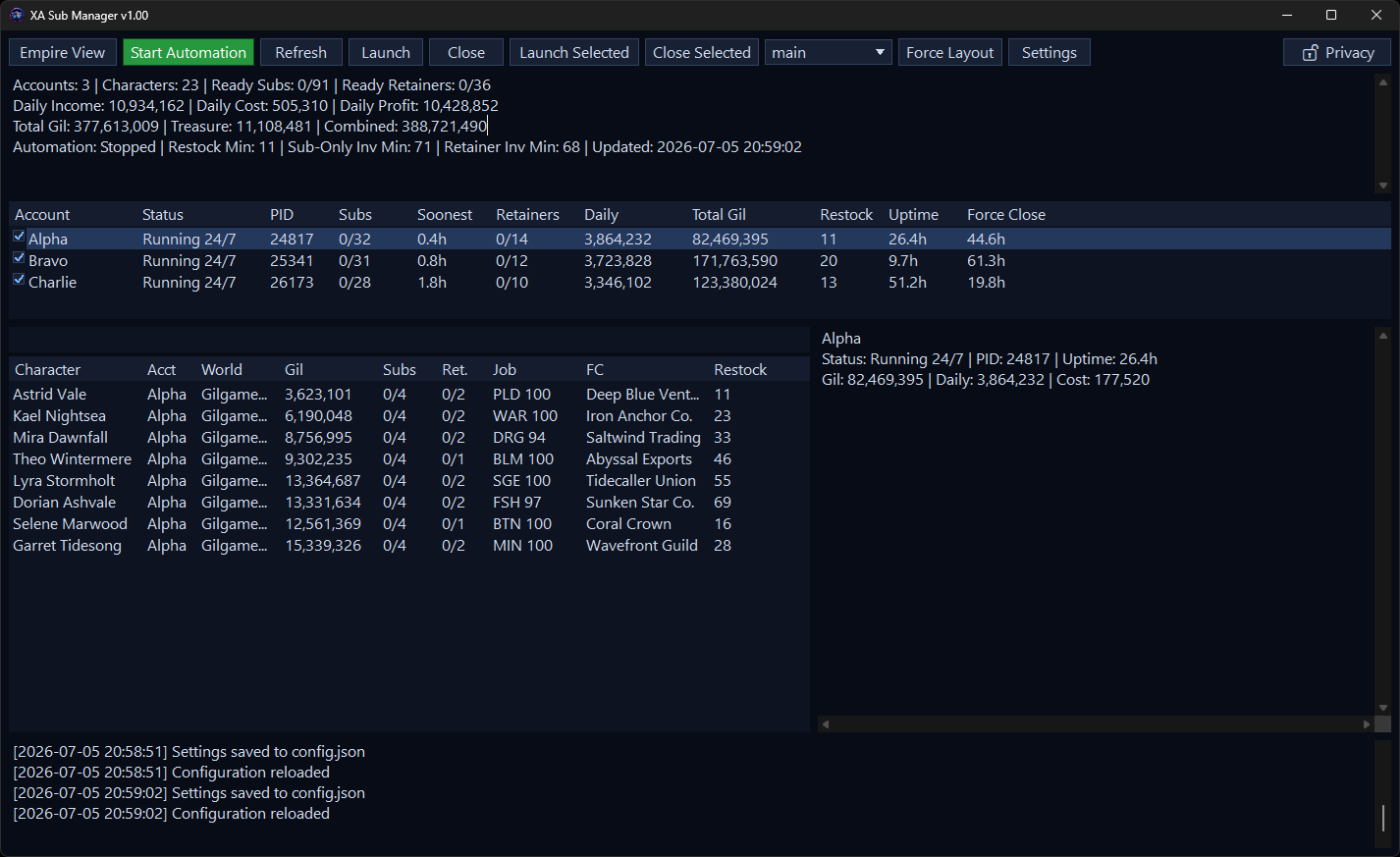
XA Sub Manager watches and drives your fleet of FFXIV accounts from one compact window. It reads each account's AutoRetainer / XA Database / Lifestream data — showing every character, submarine, and retainer at a glance — and, when you turn automation on, launches, logs in (including 2FA), arranges, and closes clients on a schedule so your submarines and ventures keep cycling without you babysitting them.
It is a single self-contained XA Sub.exe — no .NET or other runtime to install, no telemetry. Automation is off by default; nothing launches or closes until you press Start Automation.
⚠️ Exposing the web dashboard beyond this PC requires a token; for remote access put it behind a TLS reverse proxy / firewall allow-list and use a long random token. Forwarding the port to the open internet without those is unsafe.
An optional embedded web server gives you a browser dashboard plus a control API — watch stats and start/stop automation, enable/disable accounts, and launch/close clients from a phone or another PC. Off by default.
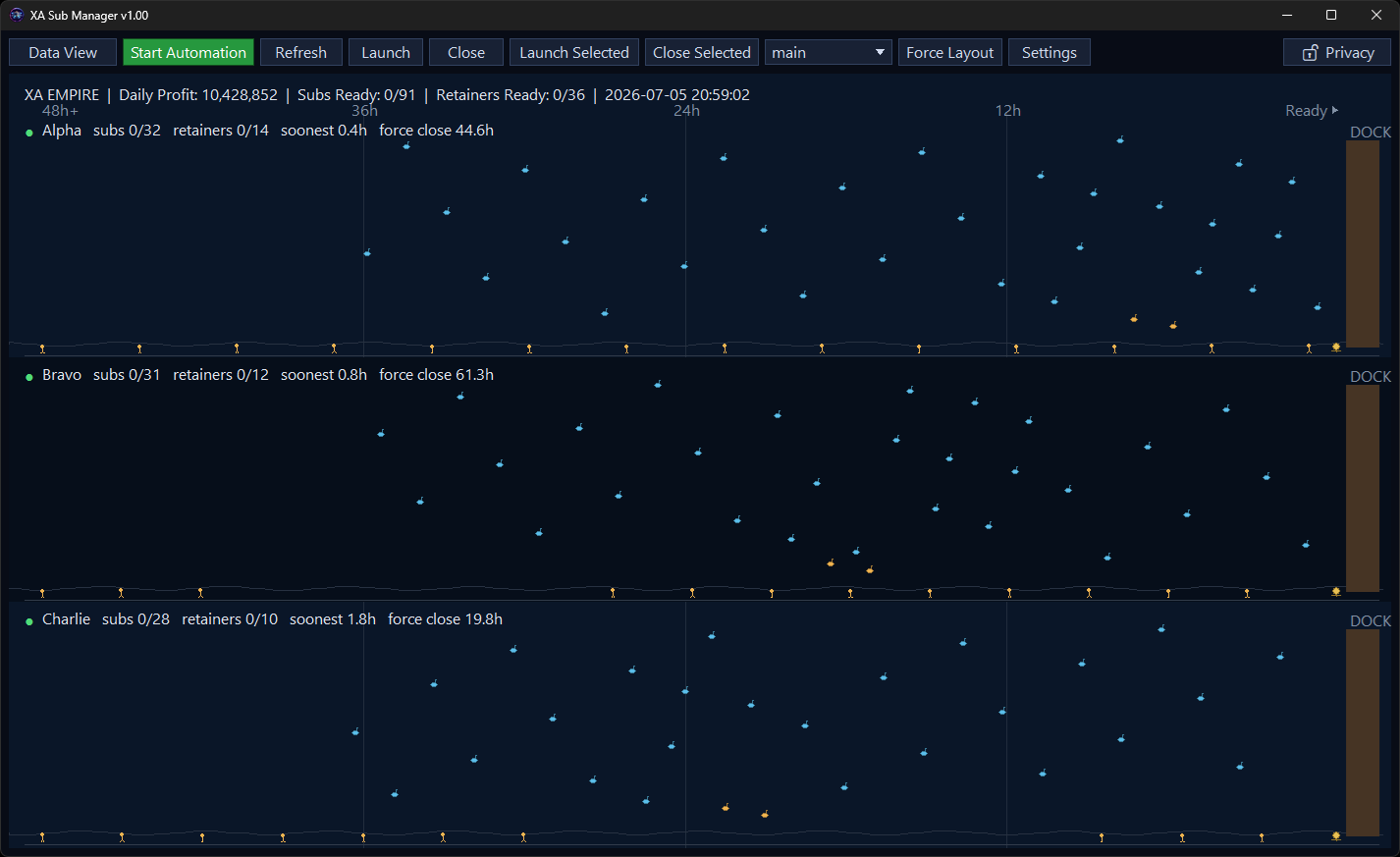
Enable it in Settings → Web Server (applies live on Save). Open http://127.0.0.1:4269/, enter your token, and you get summary cards, Accounts (Manage / Launch / Close), Characters, an Empire timeline, and a Clients tab with live low-res video of each running client.
Experimental — same exe under Wine; see the bundled README-LINUX.md for limitations and the same-prefix detection caveat.
Single account, default XIVLauncher install? No editing needed. On first launch XA Sub seeds a default Main account and auto-detects your platform's default pluginConfigs folder (%APPDATA%\XIVLauncher\pluginConfigs on Windows, ~/.xlcore/pluginConfigs under Wine/XLCore) — your data appears on the very first run.
For more accounts, open Settings and either Import Settings… (pulls in an existing Auto-AutoRetainer config_*.json wholesale) or add each account's pluginConfigs path + game launcher — every path field has a browse button, and UNC network paths are supported. Nearly every option lives in the four-column Settings window with hover help on each field.
config.json lives next to XA Sub.exe. Updates never touch it — your config, window layouts, and history are preserved. The running version is shown in the title bar and Settings → General.
It doesn't modify plugin data, but it does automate the game client (launch/login/close). Automating FFXIV can violate the User Agreement and risk your account — see the disclaimer below. Automation is off until you start it.
No — with a single default XIVLauncher install your data shows up immediately. Edit it (or use Import Settings) only to add more accounts or change defaults.
No — it's a Windows app that runs under Wine on Linux, inside the same prefix you use for XIVLauncher + FFXIV. See the Linux install steps above.
The binaries are not code-signed, so SmartScreen flags new downloads — choose More info → Run anyway. Verify the SHA-256 checksums in the download box above if you want to be sure.
Yes — Settings → Web Server, or set WEB_SERVER_PORT (default 4269).
In the title bar and Settings → General → Version.
No. XA Sub Manager is proprietary, closed-source software distributed as compiled binaries. The GitHub repository hosts the project README and license only — downloads come from this page.
Reach us on Discord at discord.gg/g2NmYxPQCa.
XA Sub Manager is free to use, closed-source proprietary software. © 2026 XA / Aethertek — all rights reserved. Powered by members of the community.
Use of the software is governed by its End User License Agreement, shown during installation and included with every download. In short:
⚠️ Disclaimer: use of third-party tools and automation may violate the FINAL FANTASY XIV User Agreement and can put your account at risk, including suspension or termination. You are solely responsible for how you use this software.
XA Sub Manager includes third-party components, each under its own license — see the Third-Party Notices. Not affiliated with SQUARE ENIX. FINAL FANTASY XIV is a registered trademark of SQUARE ENIX Holdings Co., Ltd.