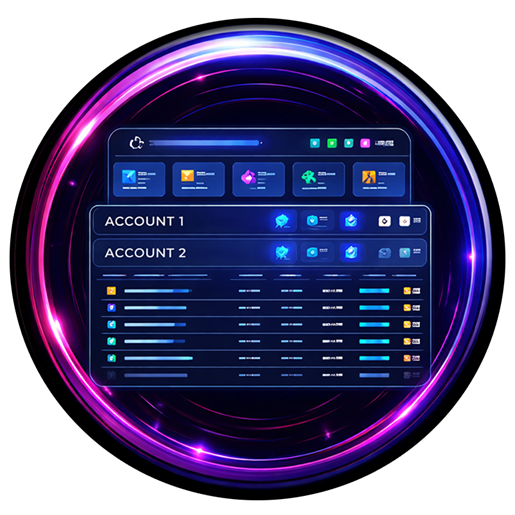
XA Dashboard

XA Dashboard

Native Desktop Dashboard for FFXIV Multi-Account Data

v— downloads
Utility Native App Data Visualization Windows & Linux
XA Free to Use • Closed Source

Download XA Dashboard

Version • Released

SHA-256 checksums

Windows may show a SmartScreen prompt for new downloads (the binaries are not code-signed). Choose More info → Run anyway. Verify the checksum above if you want to be sure.

Latest Release

XA Dashboard

Loading release notes…

Built-in Updates

XA Dashboard keeps itself current: it checks this site for new versions on a schedule you control (on open, daily, weekly, monthly, or never) and offers a one-click Update now that downloads and applies the update automatically. No manual re-downloads needed — but the files above are always here if you prefer updating by hand.

Overview

XA Dashboard is a native desktop application that turns your local FFXIV data into a live, browser-based command center. It reads AutoRetainer, XA Database, and Lifestream data and presents comprehensive character analytics across unlimited accounts — no Python, no dependencies, no telemetry, just run it.

It is read-only: it never writes to your game, plugin configs, or plugin databases. Everything stays on your machine — there is no account, no login, and nothing is sent anywhere.

It is the successor to the open-source AutoRetainer Dashboard, rebuilt from the ground up in C++ as proprietary Aethertek software: faster, self-contained, and now with built-in updates, a settings editor, and market sale alerts.

Key Features:

  • Native Windows app + Linux build — no runtime to install
  • Real-time data from AutoRetainer, XA Database & Lifestream
  • Unlimited accounts and characters
  • Market Monitor with Discord sale notifications
  • Charts, daily history and Excel export
  • One-click in-app updates from aethertek.io

Technical Details

Local & Private:

  • • Read-only — never writes to your game or plugin data
  • • Serves your dashboard locally (default: 127.0.0.1:21005)
  • • Your game data never leaves your machine
  • • No CDN calls — all assets ship with the app, pages work offline
  • • Outbound traffic only for update checks (configurable, can be never) and optional Discord webhooks
  • • Privacy toggle blurs account / character / retainer / world names for streaming or screenshots

⚠️ Changing HOST away from 127.0.0.1/localhost makes the dashboard (and all its data) reachable from your network without a login — only do that on a network you trust.

Data Sources:

  • • AutoRetainer configurations
  • • XA Database SQLite files
  • • Lifestream housing data

Requirements:

  • • Windows 10/11 x64, or Linux x64
  • • FFXIV with Dalamud (XIVLauncher) plus the AutoRetainer and XA Database plugins as data sources; Lifestream optional

Comprehensive Features

Character Management

  • • Multi-account overview
  • • Gil, retainers & ventures
  • • MSQ progression & job levels
  • • Mass item search — inventories, saddlebag, armoury, crystals, retainers & market

Submarine Tracking

  • • Return time monitoring
  • • Plan & route detection
  • • Unoptimal build warnings
  • • Supply & repair tracking

Housing & FC Data

  • • FC plot maps & district grids
  • • FC capacity planner
  • • Empire account planner
  • • Sub planners per FC

Market & Sales

  • • Listings by account or item
  • • Market Monitor sale alerts
  • • Discord webhook notifications
  • • Income & cost calculations

Charts & Export

  • • Daily gil history snapshots
  • • Interactive charts
  • • Excel export
  • • Config & history backups

Settings & Themes

  • • Full in-app settings editor
  • • Color themes on every page
  • • Configurable highlights
  • • Privacy mode for streaming
  • • Update schedule control

Installation & Usage

Windows Installer

  1. Download and run the installer
  2. Accept the license agreement
  3. XA Dashboard installs per-user (no admin needed) with a Start Menu entry
  4. Launch it — your dashboard opens in the browser

Windows Portable

  1. Download the portable .zip
  2. Extract anywhere you like
  3. Run xa-dashboard.exe

Linux

  1. Download the Linux .zip
  2. Extract and run ./run.sh
  3. Open http://127.0.0.1:21005

First-Run Setup

Single account, default install? No editing needed. First run creates your personal config seeded with a Main account already pointing at XIVLauncher's default plugin folder (%APPDATA%\XIVLauncher\pluginConfigs on Windows, ~/.xlcore/pluginConfigs on Linux) — your data appears on the very first run.

For more accounts, open the built-in Settings page and either add each account's pluginConfigs path, or use Import settings to bring over an existing Python AutoRetainer dashboard config.json (accounts, item values, plans, rates, highlights, and display options in one click).

Your settings and chart history live outside the program folder (Windows: %APPDATA%\XA Dashboard, Linux: ~/.config/XA Dashboard), so they survive every update. The running version is shown on the Settings page.

FAQ

Does it modify my game or get me banned?

No. It only reads files your plugins already wrote to disk. It does not touch the game client or memory.

Is there a Linux version?

Yes — a native Linux x64 build is provided. It runs as a headless local web server; open http://127.0.0.1:21005/ after starting it. Ideal for a home server or second machine.

Can I change the port?

Yes — Settings → Server, or launch with --port <number>. Other flags: --no-browser, --check (prints a quick data summary and exits).

Windows warned me about an unrecognized app.

The binaries are not code-signed, so SmartScreen flags new downloads — choose More info → Run anyway. Verify the SHA-256 checksums in the download box above if you want to be sure.

The Market Monitor / Discord webhook does nothing on Linux.

Correct — that feature (and one-click self-update) is currently Windows-only. Everything else works on both platforms.

Is the source code available?

No. XA Dashboard is proprietary, closed-source software distributed as compiled binaries. The GitHub repository hosts the project README and license only — downloads and updates come from this page.

Found a bug or have a request?

Reach us on Discord at discord.gg/g2NmYxPQCa.

Licensing

XA Dashboard is free to use, closed-source proprietary software. © 2026 Aethertek — all rights reserved. Powered by members of the community.

Use of the software is governed by its End User License Agreement, shown during installation and included with every download. In short:

  • Free for personal, non-commercial use on your own devices
  • No redistribution or re-hosting — link people to this page instead
  • No reverse engineering, modification, or derivative works
  • Provided as-is, without warranty of any kind

XA Dashboard includes open-source components (Crow, Asio, nlohmann/json, SQLite, Chart.js, SheetJS and others), each under its own license — see the Third-Party Notices. Not affiliated with SQUARE ENIX. FINAL FANTASY XIV is a registered trademark of SQUARE ENIX Holdings Co., Ltd.